Compare Korean apartment transactions: area, dates and cancellations
Match official contract records, calculate price per square metre and median, and compare current listings without treating a price gap as a guaranteed discount.
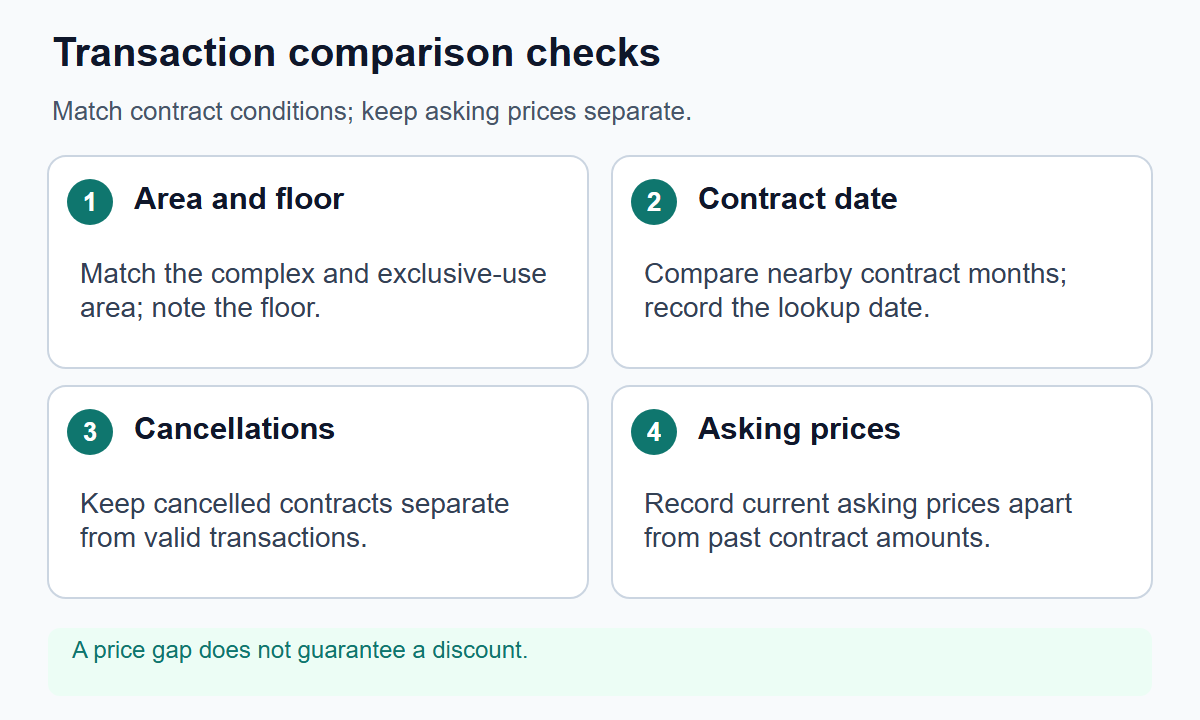
Compare Korean apartment transactions within the same building complex, exclusive floor area and nearby contract dates. Separate floor, transaction type and cancellation status. One recent transaction or a simple average cannot establish a fair purchase price.
Where are the official records?
Open the apartment section of the Ministry of Land's transaction disclosure system and find the region, complex and contract period. Start with a defined period, such as six months, and widen it if records are sparse. Six months is a workflow example, not an official valuation standard. Check exact exclusive floor area and collect genuinely comparable transactions or explicitly record area differences.
The official disclosure guide explains that these are reported transaction reference data grouped by contract date. Their purpose, aggregation and coverage differ from Korea Real Estate Board transaction statistics. Different counts do not automatically establish an error. Corrections and cancellations can change records after initial publication.
An asking price is the seller's current request; a reported transaction is a contract amount. They differ in date and property. A public row cannot reveal all renovation, financing or title conditions. Contracts still require separate title, building-record and on-site checks.
What belongs in each row?
Record complex and address, contract date, exclusive area, floor, amount, transaction type, cancellation status and the date you checked. Distinguish brokered from direct transactions without assuming a direct transaction is between relatives. Record unknown building, orientation or tenancy details as unverified rather than silently treating them as identical.
Do not delete high or low prices merely because they look inconvenient. Separate canceled transactions from valid comparisons. For other outliers, retain both included and excluded summaries until you have a reason for the treatment. Selecting only records that support a preferred conclusion is not a fair comparison. Collecting private contact or resident information is unnecessary.
Calculate price per square metre
The three records below are invented, not actual apartment data. Assume the same complex, contract month and 84 m² exclusive area without cancellations; floor and condition differences still remain. Convert all money to won before dividing.
| Example transaction | Sale amount | Exclusive area | Simple price per m² |
|---|---|---|---|
| A | KRW 840,000,000 | 84 m² | KRW 10,000,000 |
| B | KRW 882,000,000 | 84 m² | KRW 10,500,000 |
| C | KRW 924,000,000 | 84 m² | KRW 11,000,000 |
For A, 840,000,000 / 84 = KRW 10,000,000/m². The mean is (840,000,000 + 882,000,000 + 924,000,000) / 3 = KRW 882,000,000. The median, or middle value, is also KRW 882,000,000 in this particular example. Mean and median do not always match. Examine sample size and composition when they differ substantially.
If a current listing asks KRW 950,000,000, its difference from that median is KRW 68,000,000: 68,000,000 / 882,000,000 × 100 = about 7.71%. That is not proof of overpricing or an achievable discount. First establish whether the actual properties are comparable.
Practical insight: keep contracts and listings in separate tables
Use one table for checked contract records. Use another for current asking prices, area, floor, move-in date and verified renovation details. Placing KRW 882,000,000 beside KRW 950,000,000 establishes an arithmetic difference, not its cause. Ask whether differences in building, floor, condition or tenancy support the higher request.
Do not call two or three records a regional average. Leave a period with no comparable transactions marked as insufficient data. When adding nearby complexes, record differences in age, size and neighborhood and keep them in separate groups. A ratio between lease deposits and sale prices does not guarantee deposit recovery or protection against falling prices. Before a major contract, recheck corrections and cancellations and update the checked date.
Frequently asked questions
Q. Does no displayed record mean no transaction occurred?
Not necessarily. Check filters, reporting and disclosure timing and corrections. Available public data may still be incomplete.
Q. Are all 84 m² homes equivalent?
No. Floor, building, orientation, outlook, renovation and tenancy differ. Area is only one matching condition.
Q. Can a canceled record be called the latest record high?
Do not mix it with valid transactions. Mark the cancellation and checked date and separate it from the comparison.
Q. Should the average of three recent sales be my offer?
It summarizes a limited sample. It does not guarantee fair value or an achievable contract price. Check the actual listing's conditions separately.
Q. Can I collect the website repeatedly for large-scale analysis?
The official guide directs bulk and repeated use to the datasets provided through the public data portal. Do not scrape the interface contrary to its terms or bypass access restrictions.
Q. Does checking prices make a contract safe?
No. Ownership, security interests, tenancy rights, counterparties, building condition and financing require separate checks. Price data cannot replace title due diligence.
The table is a teaching example, not an appraisal or a recommendation to buy a particular apartment.
Related
Calculate rental-value thresholds, a KRW 700 million sale fee and negotiated cha...
Housing and contractsKorean housing holding taxes in 2026: separate property tax and comprehensive taxSeparate per-home property tax from per-person comprehensive tax using official ...
Housing and contractsYouth housing finance in Korea: rental deposits versus buying a homeSeparate rental-deposit loans, home-purchase finance and subscription accounts, ...
Housing and contractsCash, installments or leasing: compare car costs over 60 monthsCompare the same car over 60 months using complete cash flows, loan interest, re...